Safety & Privacy

Sportzfy TV APK is safe for your smartphone. Learn about app permissions, potential privacy risks, and how to verify clean file downloads.
Sportzfy APK Safety
Sportzfy APK safety is an important consideration for anyone researching an Android application distributed outside a familiar app store. A file can carry a recognizable name and still come from an unknown or modified source. Likewise, a successful installation does not prove that an application is secure. This guide explains practical checks for file authenticity, permissions, device compatibility, and privacy before you decide whether to install or continue using an application.
Understand What an Sportzfy APK File Is
An APK is a package format used to install Android applications. Android can install packages from different sources, but the source and package details matter.
A website may describe a file as genuine, verified, original, or safe. Those labels are claims, not proof. Check the publisher information, the distribution source, and any available verification details. If the source cannot explain where the file came from, treat the uncertainty seriously.
A file’s name and icon are easy to copy. They cannot establish who created the package or whether it has been modified. Avoid relying on branding alone when deciding whether to install software.
Verify the Sportzfy Download Source
Start by checking the website that provides the file. Look for clear publisher information, contact details, a privacy policy, and a transparent explanation of the download. Be cautious with pages that redirect through several unrelated domains or display multiple deceptive download buttons.
A secure connection to a website does not automatically prove that the file is trustworthy. It protects the connection to that site, but it does not guarantee the publisher’s identity or the package’s contents.
When possible, use a verified developer website or a trusted application store. If an application is not available through a familiar channel, consider whether you can independently establish the source and legitimacy of the file.
Check Sportzfy File Details Before Installation
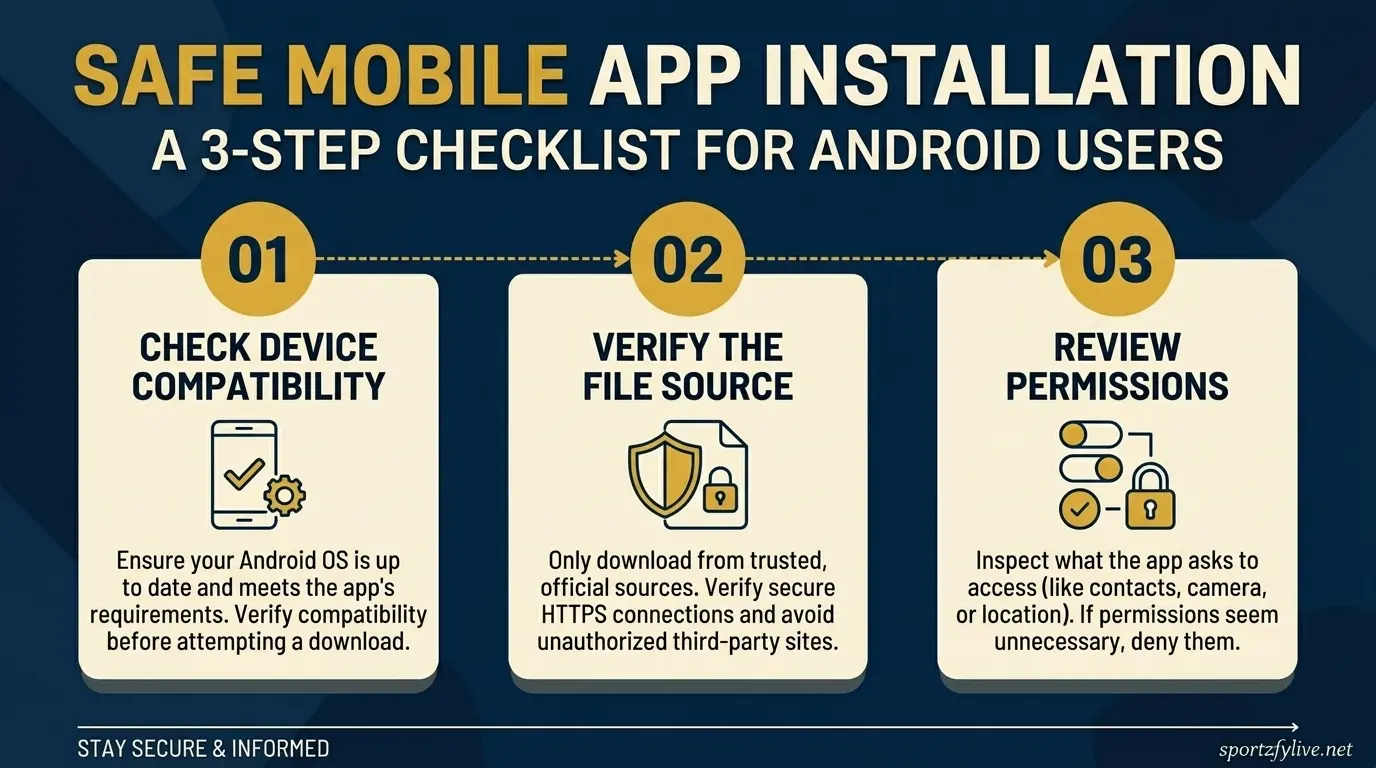
Compare the file name, version, size, and any available package information with the details published by a trustworthy source. If a page provides a checksum, compare it using a reputable tool and the source’s documented value.
A matching checksum confirms that the file matches the referenced file; it does not independently prove that the referenced file is harmless. Similarly, a malware scan may identify known threats but cannot guarantee that a file is safe.
If file details differ unexpectedly, pause before installing. Do not assume the discrepancy is harmless. Ask whether the source explains the difference and whether you can verify the package’s origin.
Review Sportzfy APP Android Permissions
Permissions allow an application to access certain device functions or information. The appropriate permissions depend on what the application actually does.
Read each permission request and ask whether it matches the stated purpose. A request for unrelated access deserves closer inspection. Permission names and available controls can vary by Android version and device manufacturer.
Avoid approving every prompt automatically. If you cannot understand why an application needs a particular permission, deny it when possible and investigate further. If the application cannot function without broad access that you cannot justify, consider removing it.
Keep Device Security Features Enabled
Android includes security mechanisms intended to reduce the risk from harmful applications. Read warnings carefully instead of disabling protections just to finish an installation.
Do not follow instructions from unknown websites that ask you to turn off security features permanently. If a file triggers a serious warning, verify the source and look for a supported alternative. A warning should prompt investigation, not an automatic attempt to bypass it.
Keep Android and device security updates current where the manufacturer supports them. Updates can address system vulnerabilities and improve compatibility. Avoid installing unofficial system modifications solely to run an application.
Protect Personal and Account Information
Do not enter passwords, banking details, or personal identification information into unrelated pages connected to an application download. Be cautious if a site asks you to create an account without explaining why it needs one.
Use unique passwords for important accounts and enable available account-protection features. If you believe you entered credentials into a suspicious page, change the affected password through the legitimate service and review recent account activity.
Consider the data that an application may collect. Read its privacy policy when available, including information about analytics, advertising, sharing, retention, and deletion. If the publisher does not provide meaningful privacy information, treat that as a limitation.
Understand Advertising and Redirects
Some websites use advertising around download links. Not every advertisement is harmful, but deceptive layouts can make advertisements resemble the real download button.
Read button labels carefully and inspect the destination before continuing. Avoid files that download automatically from unexpected pop-ups. Close pages that claim your phone is infected and demand an immediate extra installation.
Do not install a “security cleaner,” special codec, or download manager from an unknown prompt. Use the device’s built-in settings and reputable security tools rather than accepting recommendations from a questionable page.

Compatibility Is Part of Safety
A package that does not match the device may fail to install, crash, or behave unpredictably. Check the Android version, device architecture where documented, available storage, and application requirements.
Compatibility problems should not be solved by downloading random variants. Multiple files with similar names may contain different packages or modified code. Confirm the source and requirements before trying another version.
The same principle applies to televisions and computers. An Android APK is not a native Windows application, and it cannot install directly on iOS. Verify the operating system before choosing a download.
What to Do If You Suspect a Problem
If the application behaves unexpectedly, stop using it while you investigate. Review its permissions and uninstall it if you cannot verify its source or trust its behavior.
Run a scan using a reputable security tool available for your device. Review account activity if you entered credentials. Change affected passwords through the legitimate services, and remove any unfamiliar profiles or applications only after understanding what they control.
If the device continues to show suspicious behavior, consult the manufacturer’s official support guidance. Avoid installing additional unknown utilities that promise instant repairs.
A Practical Safety Checklist
Before installing an Sportzfy APK, ask yourself:
- Can I identify the source and publisher?
- Do the version and file details match reliable information?
- Is the file compatible with my Android version?
- Do I understand the permissions being requested?
- Have I kept device security protections enabled?
- Does the website avoid deceptive redirects and unrelated downloads?
- Can I find meaningful privacy information?
- Is there a supported, authorized alternative that meets my needs?
If several answers are unclear, delay installation until you can verify more information.
Frequently Asked Questions
Does a virus scan guarantee an Sportzfy APK is safe?
No. A scan can detect certain threats, but it cannot guarantee that a file is harmless.
Is an Sportzfy APK safe because a website calls it verified?
No. The claim needs supporting evidence from a trustworthy source.
Should I disable Android security to install a Sportzfy file?
Do not disable protections merely to complete installation. Investigate warnings and choose a trusted alternative if the source cannot be verified.
Can the same Sportzfy APK be used on Android, Windows, and iOS?
No. An APK is designed for Android. Windows and Apple devices use different application environments.
Conclusion
Sportzfy APP safety depends on the source, package integrity, permissions, device compatibility, and the way the application handles information. A familiar name or successful installation is not proof of trustworthiness. Verify the publisher, inspect file details, read permission requests, and keep security protections enabled. Avoid deceptive download pages and unrelated installers. If you cannot establish that a file is legitimate, do not install it. Careful verification is more valuable than a promise of instant access.