
Sportzfy for iOS

Download Sportzfy TV for iOS, iPhone, and iPad. Stream live cricket, football, and HD sports channels with no subscription.
Sportzfy for iOS: iPhone, iPad and Apple
Sportzfy for iOS is a common search among Apple users looking for sports content on their phones or tablets. The most important point is that an Android APK cannot install directly on an iPhone or iPad. Apple devices use a different application environment, signing process, and installation system. This guide explains how to check availability, understand platform differences, and avoid misleading downloads.
Can an Android APK Work on an iPhone?
An APK is an Android application package. iPhones and iPads use Apple’s iOS and iPadOS systems, which do not install standard Android APK files directly.A website may use phrases such as “iOS version,” “iPhone download,” or “Apple-compatible application.” Those phrases do not establish that a working Apple version exists. Look for verifiable information from the actual developer or an official distribution channel.
If a page tells you to download an APK onto an iPhone, treat that instruction as a warning sign. Do not install configuration profiles, certificates, or additional applications from an unknown source merely to access a stream.
How to Check Whether an Apple Version Exists ?
Search the Apple App Store
Start by searching the Apple App Store for the exact application name. Read the publisher name, description, compatibility information, and privacy disclosures. Check that the listing refers to the intended application rather than an unrelated product with a similar name.
An application may not appear in every country’s store. Availability can depend on region, developer decisions, and platform requirements. If you cannot find a verified listing, do not assume that an unofficial website can provide an equivalent version.
Check Developer Information
If the developer publishes a verified website, consult its information about supported platforms. Confirm the application’s name and publisher details before following any external link.
Avoid websites that copy branding or use words such as “official” without evidence. A logo or familiar design alone does not establish authenticity.
Review Device Requirements
Even a genuine iOS application may require a specific iOS or iPadOS version. Check your device’s software version and available storage before installation. If your device no longer receives supported updates, consider whether a compatible licensed alternative is available.
Sportzfy for Apple
Queries such as Sportzfy for Apple, Sportzfy app for iOS, and Sportzfy for iPhone express an interest in Apple-device access. They should not be treated as confirmation that an iOS release exists.Similarly, a search for an Apple-compatible download does not mean that an Android APK can be converted safely into an iOS application. Conversion requires an appropriate application build and developer distribution process. Renaming a file or changing its extension does not make it compatible.
If you find a website claiming to provide an iOS package, verify the source independently. Be especially cautious when the page requests your Apple Account password, payment details, or permission to install an unknown profile.
What About iPad?
An iPad uses iPadOS, so the same general compatibility rule applies. A standard Android APK is not an iPad application.
Some iPhone applications can also run on compatible iPads, but that depends on the developer’s release and the application’s design. Check the listing for supported devices and system requirements rather than assuming that every phone application works well on a tablet.
For sports viewing, consider whether the application supports the iPad’s screen size, orientation, and playback controls. A licensed service with an official iPad version may offer a clearer support path.
What About Mac Computers?
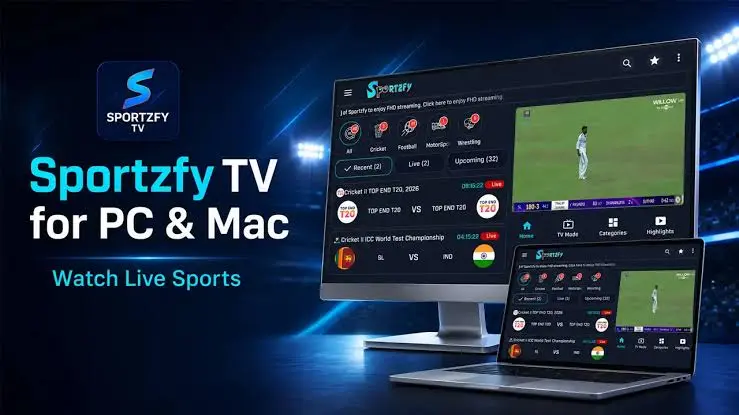
A Mac is different from an iPhone or iPad. Macs can run macOS applications, and some Apple silicon models support certain iPhone or iPad applications when developers permit it. This does not mean that Android APK files run directly on macOS.
Searches such as Sportzfy for Apple PC may combine interest in Apple computers with interest in an Android application. Confirm whether a verified macOS version exists before downloading a computer installer.
If there is no supported application, check whether a licensed sports broadcaster provides a browser-based service. Use the broadcaster’s verified website and review regional availability, subscription terms, and supported browsers.
Screen Mirroring and External Displays
Some Apple devices can mirror their screens to compatible televisions or external displays. This is a device-level feature, not a method for installing an Android application on iOS.
Mirroring requires compatible hardware and appropriate network or cable connections. Some services may restrict external display playback because of licensing or technical requirements. Consult the device manufacturer’s instructions and the content provider’s support information.
Do not install unfamiliar profiles or “unlocking” tools to bypass restrictions. Such tools may create security or privacy risks and may stop working after system updates.
Privacy and Apple Account Safety
Never provide your Apple Account password to an unrelated download website. Use Apple’s own account prompts and official application distribution methods.
Treat unexpected configuration-profile requests with caution. A profile can change certain device settings, and an unknown profile may introduce risks. Review any request carefully and consult Apple’s official support guidance before proceeding.
Also review an application’s privacy disclosures and permission requests. Access to photos, contacts, location, microphone, or local network resources should make sense for the function being offered. If the reason is unclear, do not grant access automatically.
Choosing a Sports Service on iPhone
Start with the sports and competitions you want to watch. Then check which authorized broadcasters serve your region and support your device.
Compare these points:
- Competition coverage: Does the service carry the events you follow?
- Regional access: Are the broadcasts available in your country?
- Video support: Does the service offer suitable playback and picture options?
- Cost: Are subscription or event fees clearly disclosed?
- Privacy: Can you review the provider’s privacy policy?
- Support: Is there a clear help process for technical problems?
- Device compatibility: Does the service support your iPhone, iPad, or Mac?
This comparison is more useful than choosing an application solely because its name appears in search results.
Common iOS Download Problems
A website offers an APK: APK files are intended for Android. Do not attempt to install one directly on iOS.
An application is missing from the store: Check the exact name, publisher, region, and device compatibility. Absence from the store does not prove that a third-party download is safe.
A site requests an unknown profile: Stop and verify why the profile is needed. Do not install it simply to access a streaming page.
Playback does not work through mirroring: Check compatibility, network connection, and the provider’s external-display rules. Mirroring cannot guarantee that every stream will play.
A Mac installer looks suspicious: Verify the publisher and file source before opening it. Avoid installers that imitate familiar branding or ask for unrelated credentials.
Frequently Asked Questions
Is there a verified Sportzfy iOS application?
Availability should be confirmed through the Apple App Store or reliable developer information. Do not rely solely on third-party download claims.
Can I install an Android APK on an iPad?
No. Standard APK files are designed for Android, not iPadOS.
Can I watch sports on an iPhone without installing this application?
Yes. You can check authorized broadcaster websites or official applications that support iOS in your region.
Does screen mirroring convert an APK into an iOS app?
No. Mirroring displays supported content from another device; it does not convert application formats.
Conclusion
Sportzfy for iOS searches show that Apple users want convenient sports access, but platform compatibility must come first. Verify any claimed Apple release through trustworthy distribution information. Never assume an Android APK works on iPhone, iPad, or Mac. Review permissions, protect your Apple Account, and compare authorized streaming services that support your device. These checks help you avoid misleading download pages and choose a viewing method with clearer compatibility and support.